Your AI.
Your tools.
One shared workspace.
Bring your AI subscription. Connect your tools through MCP. Keep your agents, collaborators and progress together in DevGhouse.
Claude, Codex or Kimi. Start with the account you already use.
Your tools, within your agent’s reach.
MCP lets your assistant work with the tools you connect to DevGhouse. Choose the realm, project and permissions. Give it context once, then keep working in the client you prefer.
 house
houseclaude mcp add --transport http --scope user devghouse \
https://mcp.devghouse.com/mcp \
--header "Authorization: Bearer YOUR_DEVGHOUSE_TOKEN"Swap YOUR_DEVGHOUSE_TOKEN for your real token.
Your AI
- Claude Code
- Codex
- Cursor
- Claude.ai
DevGhouse MCP
One token. Scoped to your workspace.
1,500+ toolsYour connected services


- +27 more
Your rails
 Workspace
 Marketplace
 Crypto
 Social
- Explore the rails ↗
Your agent, working
in your workspace.
- CopyTake the command from the connect page.
- AskTell your assistant what you need.
- WorkIt calls DevGhouse tools and reports back.
Every call stays inside the workspace your token belongs to, with your permissions.

Your agents work.
Everyone stays in the conversation.
Start with a brief. Keep the work, feedback and next decision in one thread. Bring in a collaborator when you need another pair of eyes.
Ask in plain words.
Watch every step.
- ScoutReads the project, its pages and its tools.
- PlanSays what it will change before it changes it.
- BuildWorks in its own branch.
- TestOpens the result in a browser.
- ReviewHands the change to a second agent.
It comes back with the Reviewer’s verdict and a link to sandbox, your staging site.

 Boris+
 Bak+ Their agents
 DevGhouse realm
 DevGhouse / AgentsIllustrative demo
From your terminal
to the shared thread.
- 01Keep the original request
The hook mirrors your words into the right conversation, under your name.
- 02Bring replies back
At work boundaries, the local session checks the thread for new messages.
- 03Make the result easy to find
Agents post progress and evidence. Highlights gives the team the current result.
Both clips are the real frontend playing example data. In the Agent Mode clip the run, the Reviewer’s verdict and the sandbox link are scripted; the conversation clip uses invented messages. No backend actions are performed.
Set it once.
It runs on time.
Routines give an agent a standing job. They run on their schedule, keep every result, and wait for you to read them.
Every routine shows
when it runs next.
- ScheduleDaily, weekly or on a webhook or form.
- RunEach run gets its own thread and result.
- CheckSee the next run, or run it now.
The same agents and tools as your chats, on a timer.

Pair your computer.
See it in Devices.
DevGhouse Desktop pairs with a short code. Your computer then shows in Devices with the AI accounts signed in on it and the MCP servers it can reach.
From a code
to a working computer.
- PairGet a code here and enter it in DevGhouse Desktop.
- SeeDevices lists the computer and its status.
- UseIts AI accounts and MCP servers are ready.

Local sessions need the connected computer online. Device setup and engine availability are checked in your workspace.
Your computer does the work.
You steer it from the hub.
Start a chat on a paired computer and Claude or Codex answers there, with that computer's own logins and folders. The conversation stays in app.devghouse.com.
Pick where it runs.
Then just ask.
- WherePick a paired computer in New chat.
- EngineClaude or Codex, signed in on that computer.
- AnswerIt runs there, in your folders, with its own logins.
The computer needs DevGhouse Desktop running. When it is off, pick DevGhouse servers instead.

Your site.
How Google shows it.
Every website belongs to a project, in the same workspace as your agents. How it shows in search is set from there.
See how Google
will show your site.
- WriteSet your site's search title, description and share image.
- PreviewSee how Google will show it while you type.
- SaveYour site reads it from DevGhouse through its website link.

Launch a coin on pump.fun.
From a chat, a form or Telegram.
An agent launches it over MCP, or you click it through on crypto.devghouse.com. The coin goes out on pump.fun on Solana with its first buy, and the creator fee split is set right after the mint. On the local test chain below, DevGhouse also reads the split back from the chain.





The launchpad tools
your agent can call.
coin_createLaunch on pump.fun: name, ticker, first buy and the creator fee split.coin_launch_walletA practice wallet on devnet or the local chain, topped up with test SOL.pumpfun_coin_infoPrice, market cap and how full the bonding curve is.pumpfun_swapBuy or sell on the curve, and on PumpSwap once the coin graduates.pumpfun_collect_feesClaim the creator fees into your wallet.coin_retry_fee_splitSet the split again if it failed after a practice mint.coin_set_take_profitSell the first buy at a target, watched by a DevGhouse job.wallet_balanceRead the wallet right before anything moves money.
The DevGhouse guide tells agents to read the wallet and confirm with you before a launch or a trade. Mayhem mode and a buy-back share are options on the launch form for mainnet coins.
coin_create({
  chain: "solana", cluster: "localnet",
  name: "House", symbol: "DHOUSE",
  sol_lamports: 50000000,
  shareholders: [
    { address: "Hmdf…xDkZ", bps: 5000 },
    { address: "5Knr…Dqep", bps: 5000 },
  ],
})
sharing_config.status: "verified"
fee_shares_readback: 50% · 50%
Your subscriptions.
Or ours, by the credit.
Link your Claude, Codex or Kimi subscription and your agents run on it, or let the built-in rail run a job for credits.
Claude
Your Claude subscription
Codex
Your Codex subscription
Kimi
Your Kimi account

Your context. Your collaborators. Your work.
Your subscription.
Or ours, by the credit.
- ClaudeRuns on your Claude Code subscription.
- CodexRuns on your Codex subscription.
- Built inDevGhouse runs it through OpenRouter, billed as credits.
Pick the rail in the model menu for each message. Every run shows the model it used and any credits it cost.

Subscription limits still apply. Other models can use metered credits; connected services and media jobs may have their own costs.
Connect your AIBring the tools you work with.
Your repositories, inboxes, planning tools and social accounts, in the context of your project. Connect the services you need and grant your agents the access their work requires.
AI, code and developer tools
- GitHubConnect repositories, branches and files to your projects and let agents work in them. github.com
- TrelloSync your Trello boards, lists and cards with DevGhouse tasks. trello.com
- VercelLink Vercel projects and watch deployments and logs from your project. vercel.com
 FigmaRead Figma files, components and comments and post feedback. figma.com
Mail, search and productivity
 GmailRead, search, draft and send email from your own inbox. mail.google.com
 OutlookRead, reply to and draft email from your Outlook account. outlook.com
 Google DocsBrowse, search and export your Google Docs into projects. docs.google.com
 CalendlyList your event types and scheduled meetings, and cancel them. calendly.com
Social channels
- XDraft, post and schedule to X, reply to mentions and run threads. x.com
 InstagramPublish posts and stories, read messages and reply to comments. instagram.com
- TelegramRead and send messages, create groups and channels, run a Telegram bot. telegram.org
 RedditSearch Reddit for customer pains and requests during research. reddit.com
Available tools depend on the connection, account permissions and project. Explore the integrations ↗
One foundation.
Places to put it to work.
The same accounts, project context and connected tools carry into the apps we’re building and using ourselves.
 Platform
Workspace
The shared home for projects, people, agents and decisions.
app.devghouse.com Beta
BetaMarketplace
Turn a brief into an offer, a delivery and work you can review.
marketplace.devghouse.com Beta
BetaCrypto
Wallets and on-chain tools, connected to the same project context.
crypto.devghouse.com Building
Social
Plan content and automate supported channels. We’re building it for DevGhouse, with bak.fun next.
social.devghouse.comBuilt on DevGhouse.
Live today.
Standalone apps running on the same backend, each with its own people and its own work.
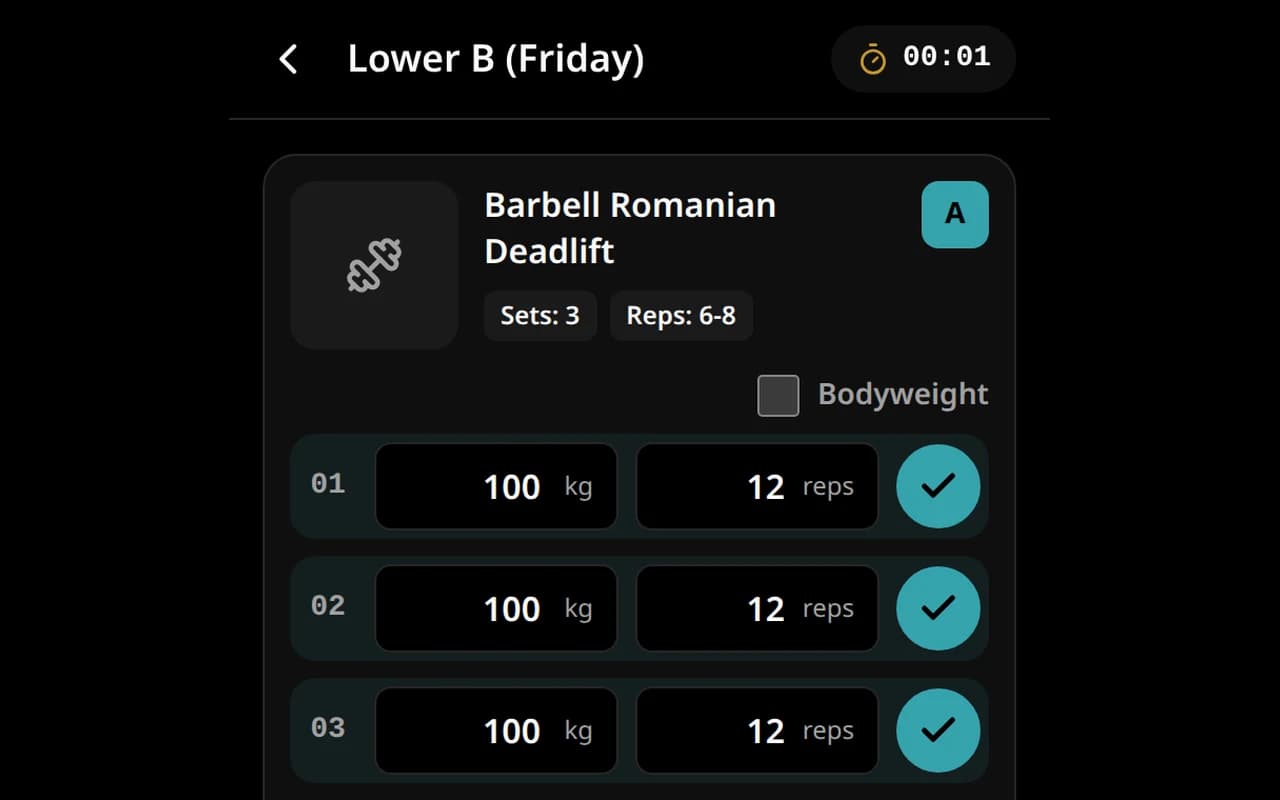
Fitness
Log each set as you lift and tick it off, with the workout clock running.
fitness.devghouse.com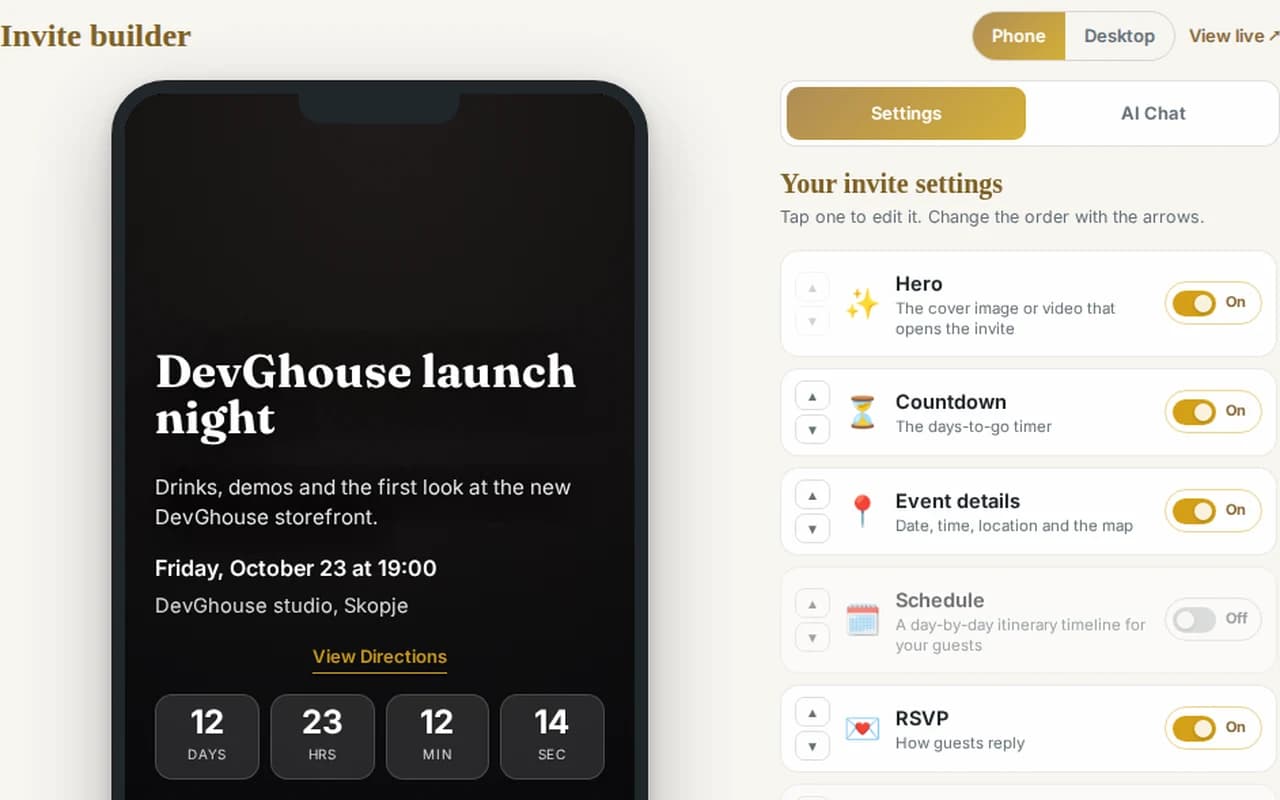
Events
Build your event invite, turn its parts on and off, and see the guests' view as you go.
events.devghouse.com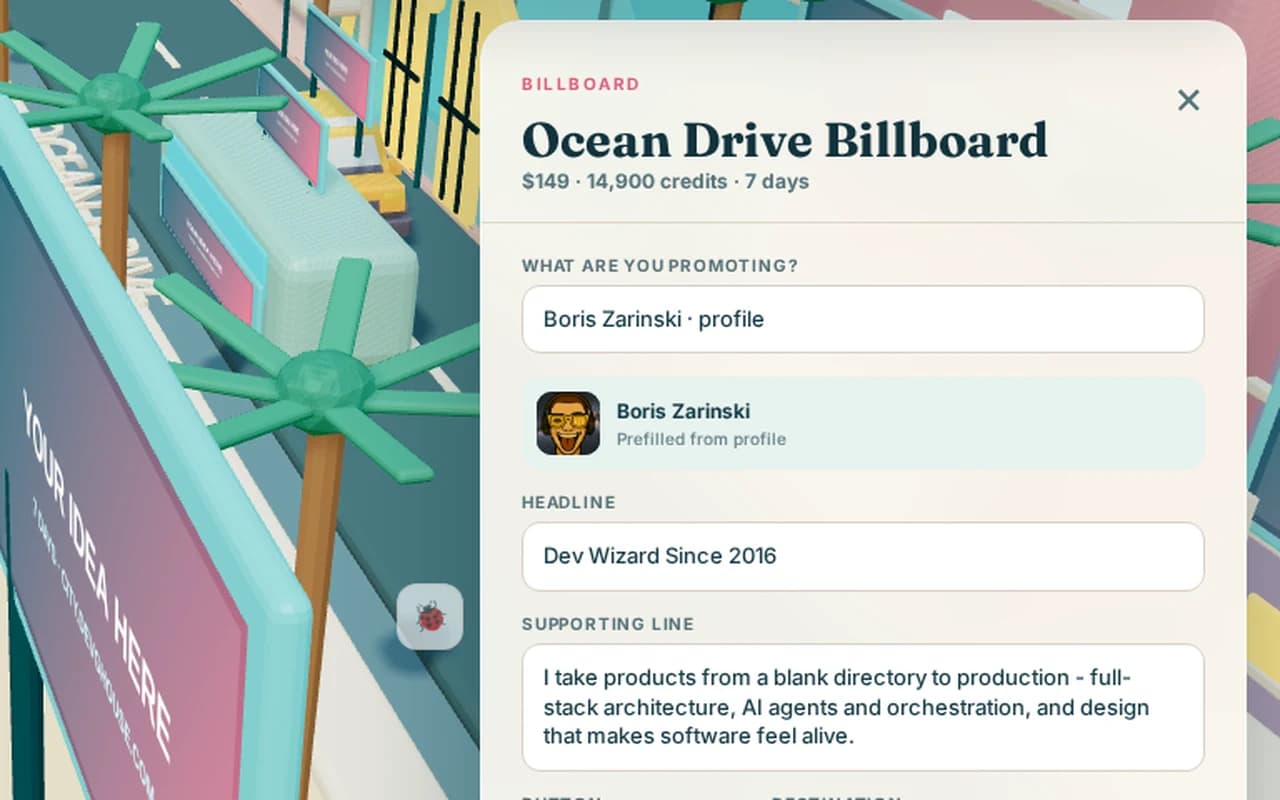
City
Pick a billboard, bus or drone in the city and fill in the ad that will run on it.
city.devghouse.com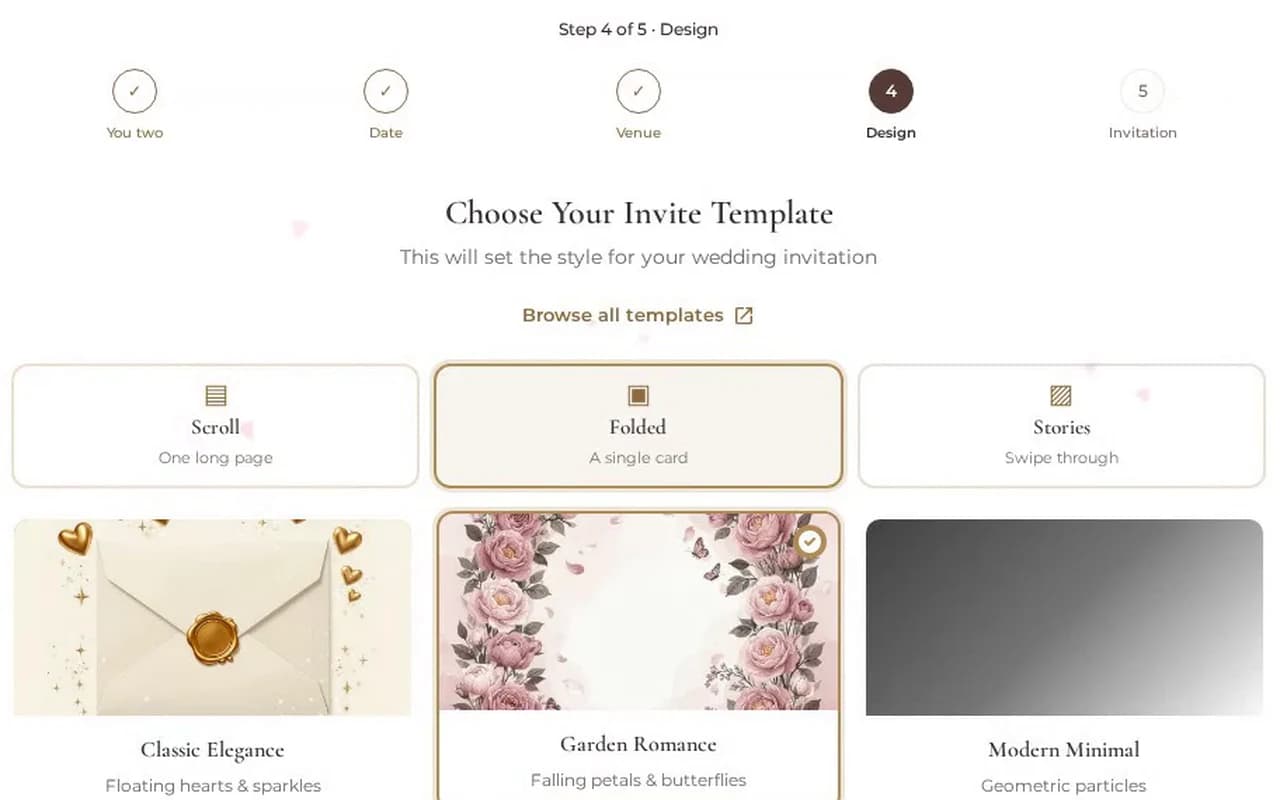
Weddings
Set up your wedding step by step and pick the invite style that feels like the two of you.
Shown with an example couple.
weddings.devghouse.com